If your answers already live on a website, such as a help centre, a product catalogue or a terms page, you can add the site as knowledge. Eloquens reads the site, shows you every page it found, and indexes the pages you choose. Only pages you tick are used.
Add a website
- In the left rail, click Knowledge, and make sure the heading names the assistant that should read the site.
- Click Add knowledge.
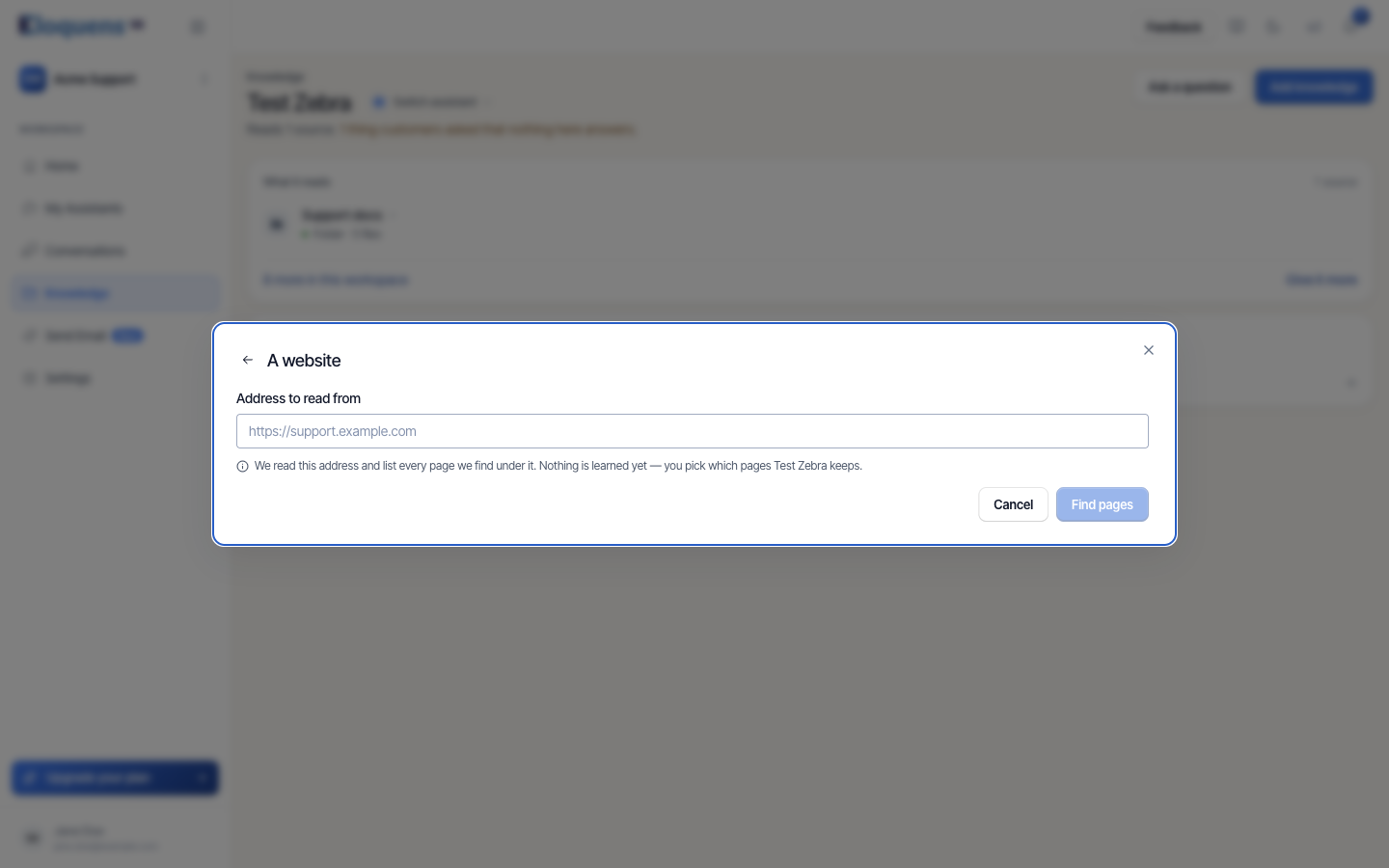
- Under Something that changes, click A website.
- Type the address under Address to read from, for example
https://support.example.com. The panel explains: We read this address and list every page we find under it. Nothing is learned yet — you pick which pages {assistant} keeps. - Click Find pages. The panel shows Reading {site} and, as results arrive, N pages found so far. Large sites take a few minutes, and you can close the panel while it works.
- When reading finishes, the page list appears. Tick the pages the assistant should read. Select all new ticks every page on screen that has not been added yet; Clear selection unticks them. Use Search these pages… to narrow a long list, and the Already trained filter to see what is already in.
- Confirm your selection. The chosen pages are indexed in the background.
On the Knowledge page the site appears under What it reads as Site · 35 pages, all readable. Click the row to see the pages; point at a page to see its address, its size in characters and Open.
Manage a site on the Web page
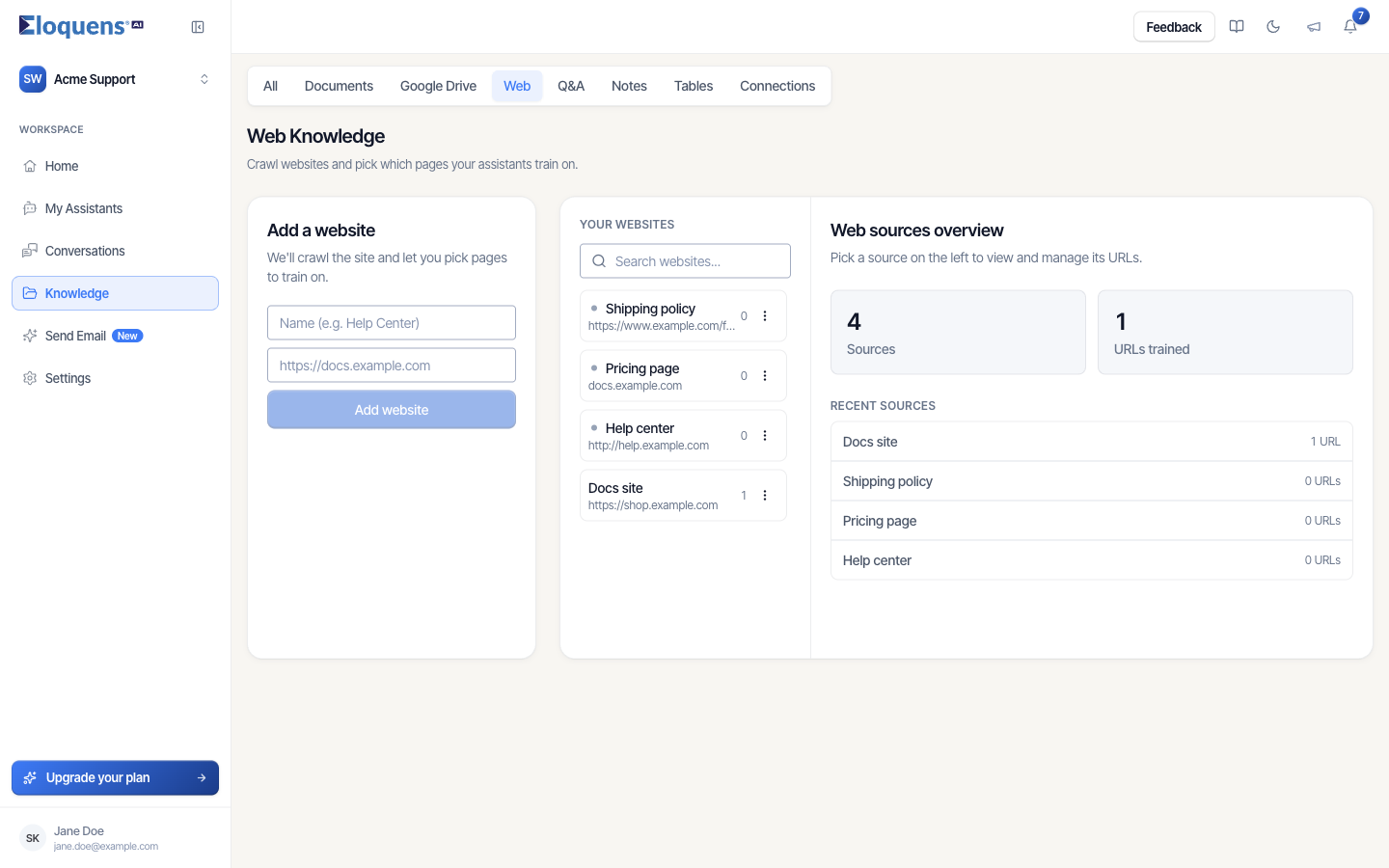
Open Knowledge, then the Web tab. The Web Knowledge page is where you add pages later, re-read them, or remove them.
- Add a website on the left adds a new site: give it a Name (e.g. Help Center) and the address, then click Add website.
- Your websites lists each site with its page count and a status line while it is being read: Pending — crawl queued, Crawling — discovering pages, or Crawl failed — try recrawling. The ··· menu offers Rename website and delete.
- Pick a site to see Pages Found: the pages Eloquens discovered, as a tree. Tick pages (or Select all pages) and click Train selected URLs to add them. Discover URLs reads the site again to find pages added since the last read.
- Trained URLs lists the pages the assistant reads, each with a status: Training in progress, Training completed successfully, Training failed - try manual retrain, or Automatic retraining enabled.
- Web sources overview on the right counts Sources and URLs trained across the workspace.
Keep pages current
A page is read when you add it. To pick up changes on the site:
- Enable Auto Retrain on a page (in its ··· menu under Trained URLs). The page is re-read automatically once a day. Disable Auto Retrain turns it off.
- Use the manual retrain action on a page to re-read it right now, for example after you publish an update. A page that is currently being read cannot be retrained until it finishes.
- Discover URLs finds new pages; it does not add them. Tick and train the new ones you want.
Remove pages or a site
- To drop one page, delete it from Trained URLs. The assistant stops reading it.
- To stop one assistant reading a site while others keep it, use Stop reading on the site row on the Knowledge page.
- To remove the site for everyone, use Delete from workspace on the Knowledge page or delete the site on the Web page.
Good to know
- Discovery and reading are separate. A page that was found but never ticked teaches the assistant nothing.
- Pages behind a login cannot be read. Public pages only.
- The address check is forgiving:
support.example.comandhttps://support.example.com/are the same site. A string that is not a web address is refused with an example of what to type. - Each site is attached to assistants as a whole. Pages you add later are available to every assistant that reads the site.
Related articles
- Knowledge: what your assistant answers from
- Add documents to your knowledge
- Knowledge conflicts and unused knowledge
Soma Konate
Comments