The lower block on Home tells you what happened to the mail your assistants received in the selected window: what arrived, what was answered, and what was not, and for everything not answered, why. It follows the assistant selection and the time window at the top of Home, so the figures are always about the assistants and the period you chose.
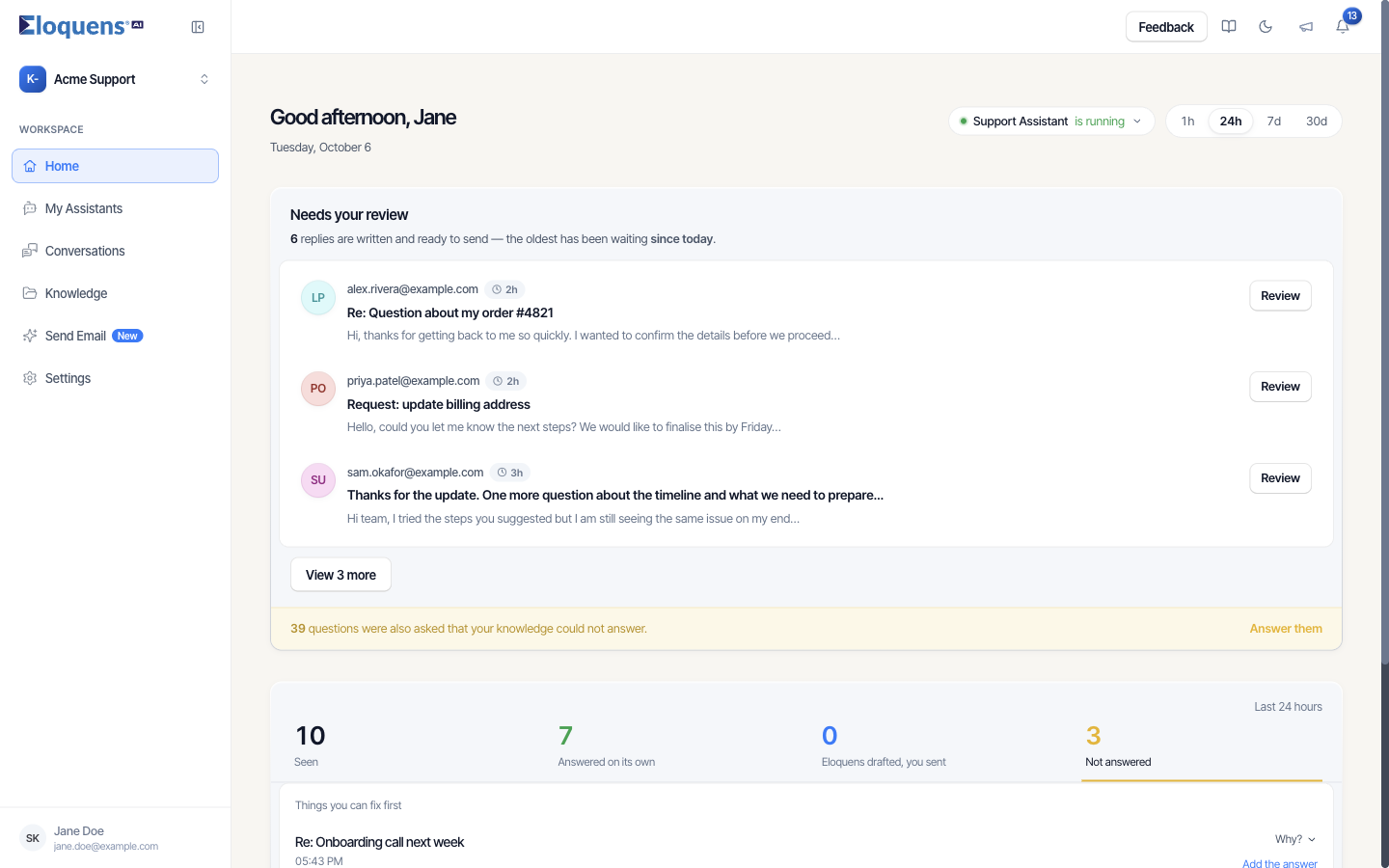
The four figures
The block's header names the window (Last 24 hours, Last 7 days and so on). Each figure is a tab; click it to list the emails behind it.
| Figure | What it counts |
|---|---|
| Seen | Every email that arrived. Seen = Answered on its own + Eloquens drafted, you sent + Not answered. |
| Answered on its own | Replies the assistant sent automatically. |
| Eloquens drafted, you sent | Drafts you approved, sent from the app or from your own mailbox. |
| Not answered | Everything else, including drafts still waiting for you, emails passed on to a colleague, and emails that needed no reply. |
A draft counts under Not answered until you send it; then it moves to Eloquens drafted, you sent.
Reading the rows
Rows show the subject, the sender and the time, and a pill where there is something to say: Knowledge missing, Held by a rule, Automated sender, Forwarded. Sent replies show a note such as Sent from the app, Edited, then sent from the app or Sent from your mailbox. Click any row to open the conversation in the side panel.
The Not answered list
On the Not answered tab the list is ranked under the heading Things you can fix first:
- Emails your knowledge could not answer come first, each with an Add the answer link into Knowledge.
- Emails stopped by one of your rules come next, with a Check your filter link to that assistant's settings.
- Emails that needed no reply (newsletters, auto-replies, a colleague answered first, or the email was forwarded) follow, with nothing to do.
Rows that can explain themselves carry a Why? button. It opens the assistant's own reasoning for that email, with Show the rest for the full text, a What it could not find list, and Handed to … when the email was passed on.
When everything was answered
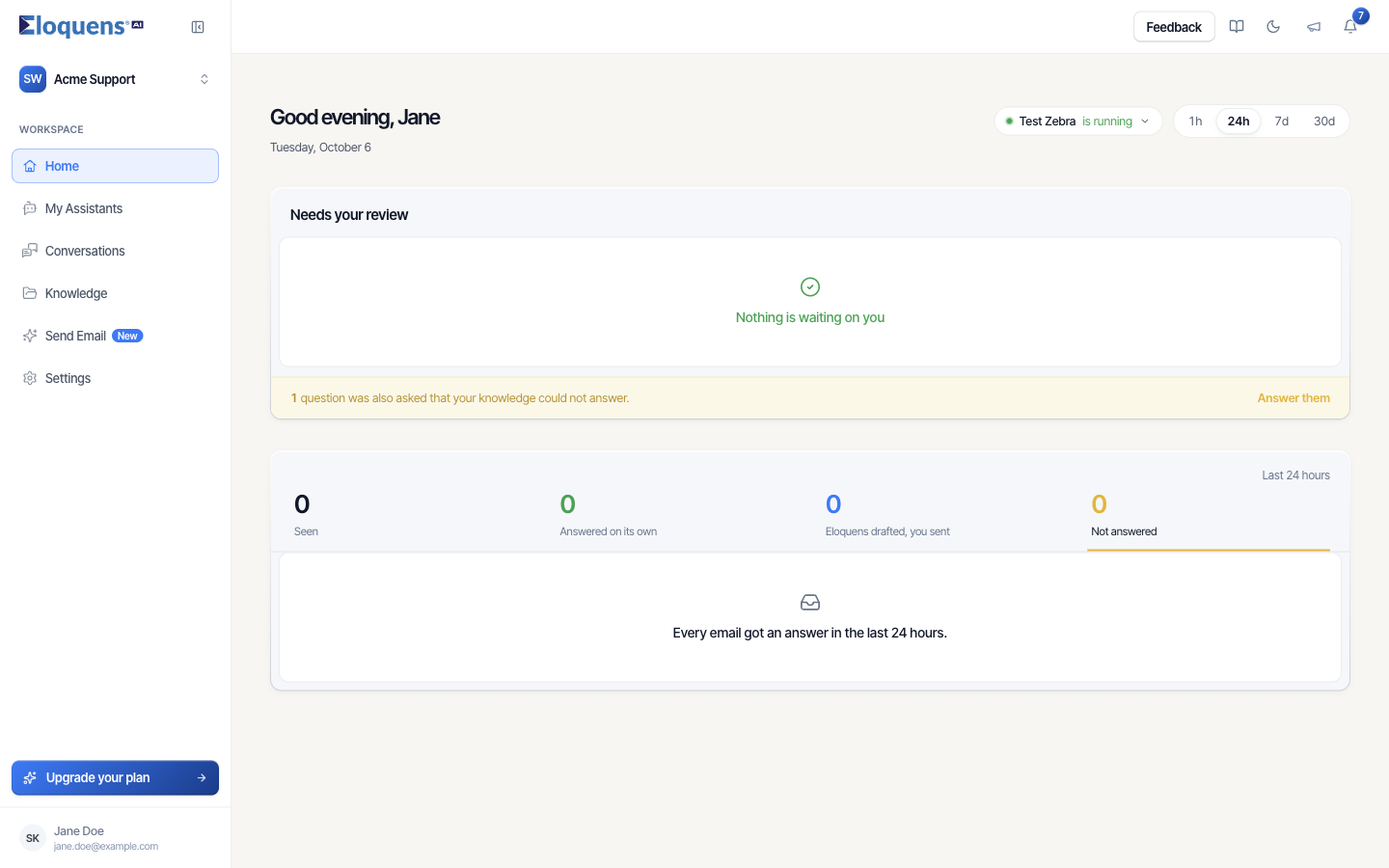
When nothing in the window was left unanswered, the Not answered tab reads Every email got an answer in the last 24 hours. (or the window you picked).
Good to know
- When the block cannot load, it says so and offers Try again; the figures are reported as unknown, never as zero.
- Changing the assistants or the window collapses an expanded list back to its first rows.
- Longer-run totals per assistant are on the Statistics page; see Statistics for an assistant.
Related articles
- Your Home page
- Needs your review: drafts waiting on Home
- Review and send a draft
- Statistics for an assistant
Soma Konate
Comments