Home is where you land after signing in. It answers two questions for the assistants you choose and the window you choose: what is written and waiting on you, and what arrived, what was answered, and what was not. Every number on the page is scoped to the assistants selected at the top and to the time window beside them.
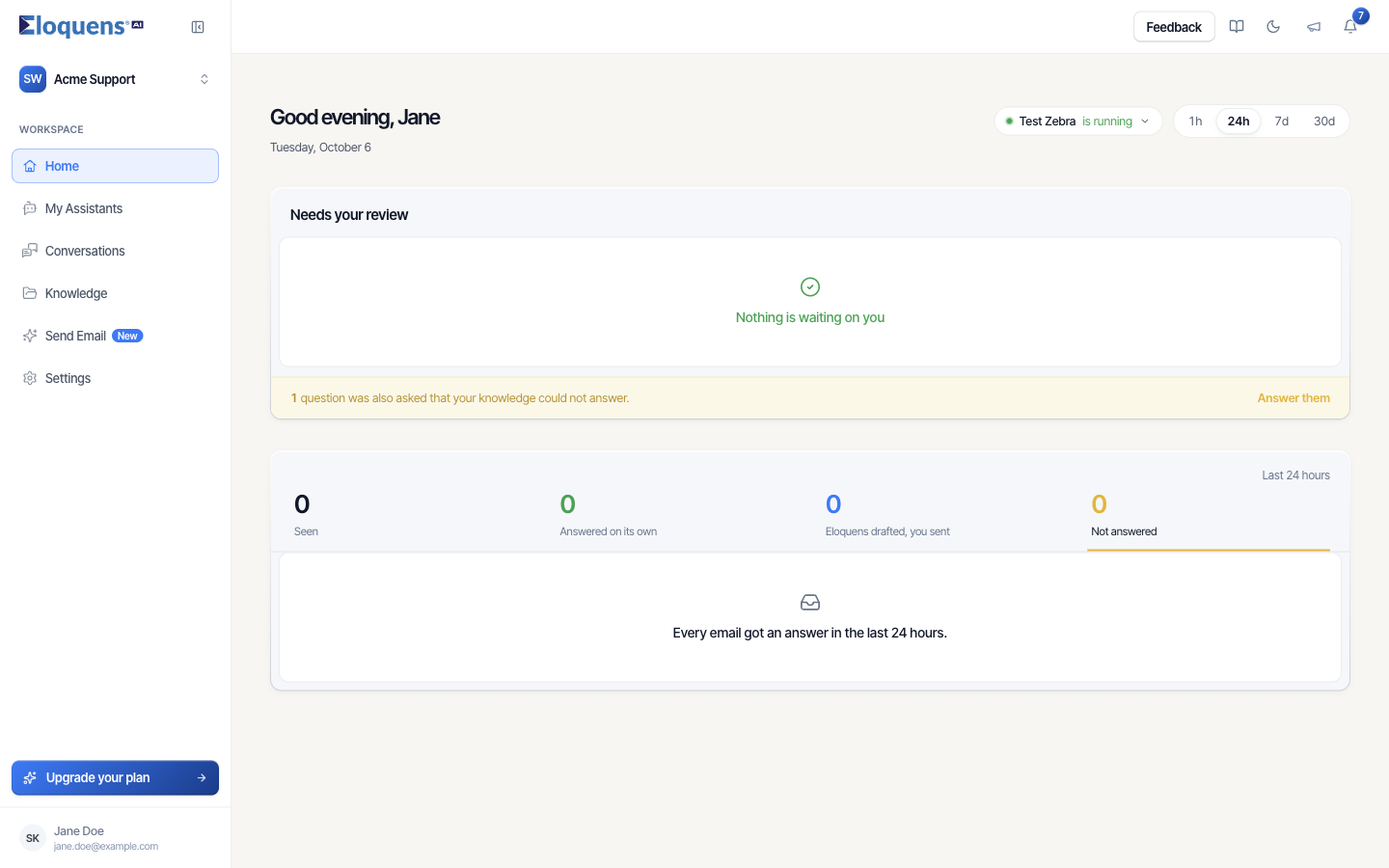
The header
- Open Home in the left rail.
- The greeting on the left reads Good morning, Good afternoon or Good evening with your first name and today's date.
- On the right, the assistant pill shows which assistants the page covers, for example Test Zebra is running, with a coloured dot and a short health phrase. With several selected it reads 3 assistants or All 12 assistants.
- Beside it, the time window offers 1h, 24h, 7d and 30d (the last hour, the last 24 hours, the last 7 days, the last 30 days). The page opens on 24h.
Choosing which assistants the page covers
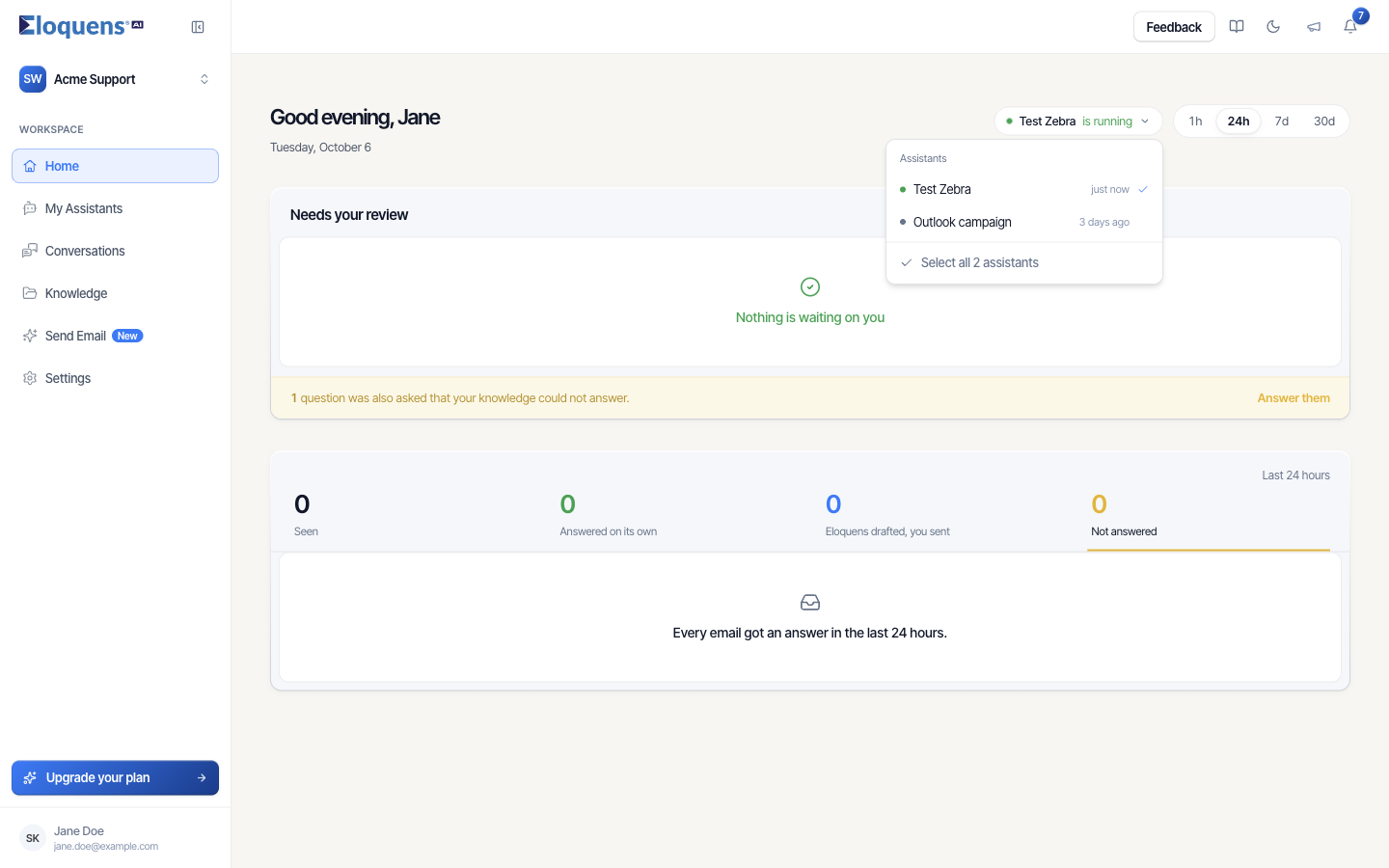
- Click the assistant pill. A list titled Assistants opens, each row with its own health dot and when it was last checked for mail (just now, 3 days ago).
- Click assistants to tick or untick them. At least one must stay selected; the list tells you so if you try to clear it.
- Click Select all N assistants to cover every assistant at once.
- With more than five assistants, a Search assistants... field appears at the top of the list.
Your selection is remembered for you in this workspace, so the page opens the same way next time. When more than one assistant is selected, rows across the page carry a small tag naming the assistant they belong to.
What the health dot means
| State | What it tells you |
|---|---|
| Running | The mailbox was checked recently and its sign-in is valid. |
| Paused | Every assistant on this mailbox is switched off. |
| Mailbox disconnected / Signed out | The mailbox sign-in has stopped working. New mail is not being read until it is reconnected. |
| Not being checked | The last check is more than a few minutes old. |
| Waiting for first check / Never checked | A newly connected mailbox has not been polled yet, or no check has ever been recorded. |
When a mailbox stops reading email
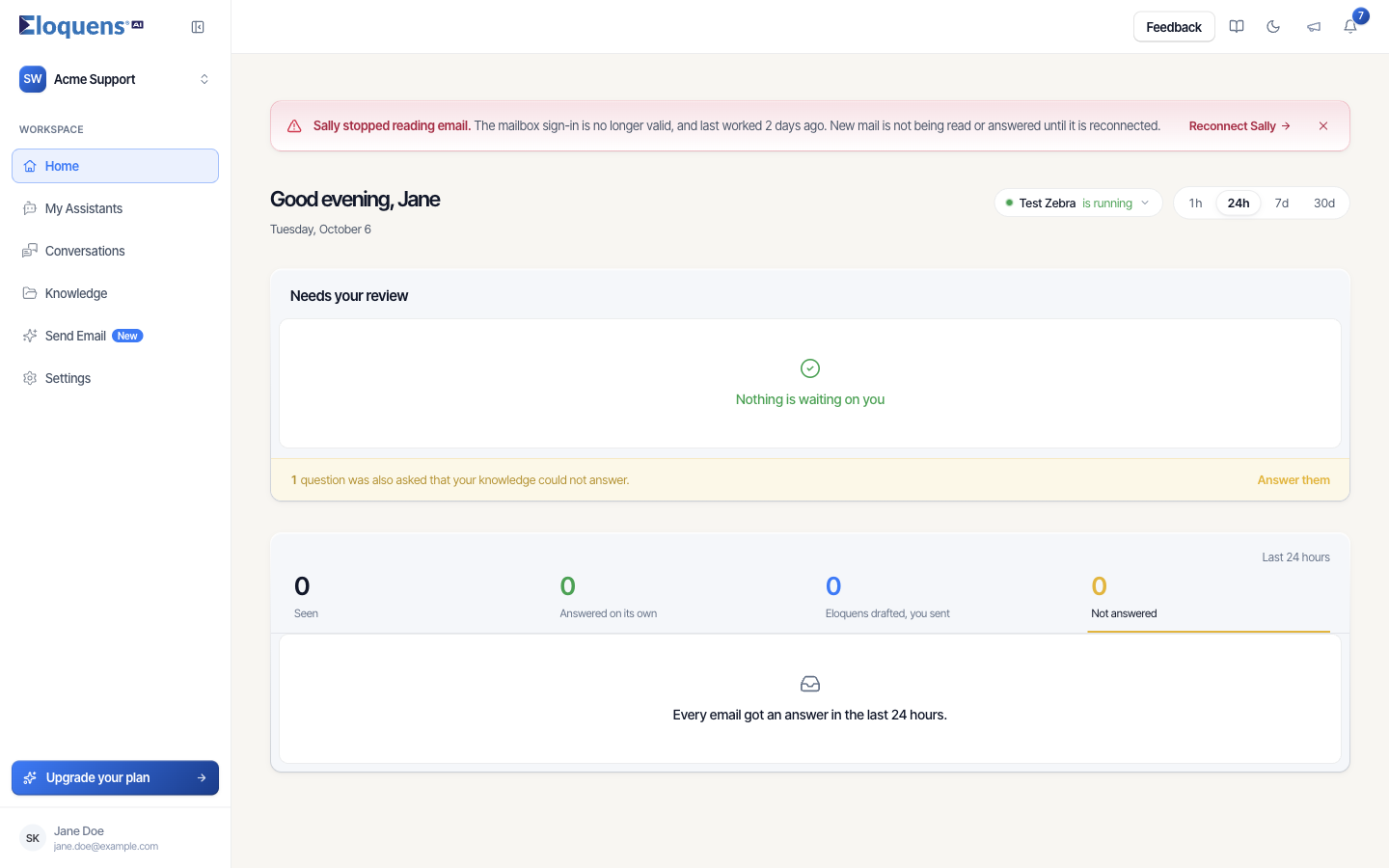
When a mailbox is signed out, disconnected or has never been checked, a red banner appears above the greeting. It reads, for example, Sally stopped reading email., explains why (the mailbox sign-in has stopped working) and when the mailbox last worked, says that new mail is not being read or answered until it is reconnected, and offers a Reconnect Sally button that takes you to Settings › Email accounts.
The banner looks at all your assistants, not just the ones selected, so narrowing the page cannot hide a mailbox that stopped reading mail. Once the problem clears, the banner stays briefly with the note This has since cleared and needs no action until you dismiss it with the ×.
The two blocks below
- Needs your review lists every reply your assistants have drafted that is still waiting for you to send it, and points you at questions your Knowledge could not answer. It has its own article: Needs your review: drafts waiting on Home.
- What the assistants saw and did is the row of four figures — Seen, Answered on its own, Eloquens drafted, you sent, Not answered — for the selected assistants and window. Click a figure to list the emails behind it. See What the assistants saw and did.
Good to know
- When a block cannot load, it says so and offers Try again; figures are reported as unknown, never as zero.
- Longer-run totals per assistant live on the Statistics page; see Statistics for an assistant.
Related articles
- Needs your review: drafts waiting on Home
- What the assistants saw and did
- Review and send a draft
- Conversations: browse, search and read a thread
- Notifications and What's new
Soma Konate
Comments